Track your writing and finish your projects

Quilltrack is a free writing tracker with two halves. Pacetrack logs your sessions, manages every project in one place, sets goals that adjust when you fall behind and shows you how you actually write. Plottrack is the plot tracker and world builder: universes, timelines, characters, locations, factions and plot threads.

A look inside Quilltrack

Now on Android

Quilltrack is on Google Play

The Quilltrack Android app puts your word count tracker in your pocket. Log writing sessions, run sprints, keep your streak going and check your project progress from your phone. Your account syncs between the app and the web.

Get the Quilltrack word count tracker app on Google Play

Free to download. No Ads.

Built for every kind of writer

πŸ“– Novelists✍️ Bloggers🎭 ScreenwritersπŸ“š Non-Fiction AuthorsπŸ–ŠοΈ PoetsπŸŽ“ Academic WritersπŸ—ΊοΈ Worldbuilders

Two modules, one place

Quilltrack has two halves. Pacetrack follows the writing itself. Plottrack keeps the world the writing lives in. Use either on its own, or both together: they share one account and they talk to each other.

Pacetrack

Your writing, tracked

Log every session in seconds, run several projects at once, set goals that redraw themselves when you fall behind, time your sprints, and turn the whole history into analytics: your peak hours, your pace and your projected finish date.

  • βœ“Word counts, pages, scenes, lines or minutes
  • βœ“Projects, phases, milestones and goals
  • βœ“Sprints, session timers and writing analytics
  • βœ“Streaks kept alive by four rest days a month
Plottrack

Your story world, organised

Use it as a world tracker, universe builder or story bible: give a universe its own calendar and timelines, keep every character, relationship, location, faction, item and language in one linked place, plan books scene by scene, and watch your plot threads run across the chapters.

  • βœ“Universes, lore and custom World sections
  • βœ“Timelines, eras and character lifespans
  • βœ“Characters, places, factions, items and maps
  • βœ“Books, scenes and plot threads
Pacetrack

The writing tracker that finishes the book with you

Word counts, projects, milestones, goals that recalculate when you fall behind, sprint and session timers, writing analytics, and streaks that survive the days you miss.

Word Count Tracking

Log your word count in seconds

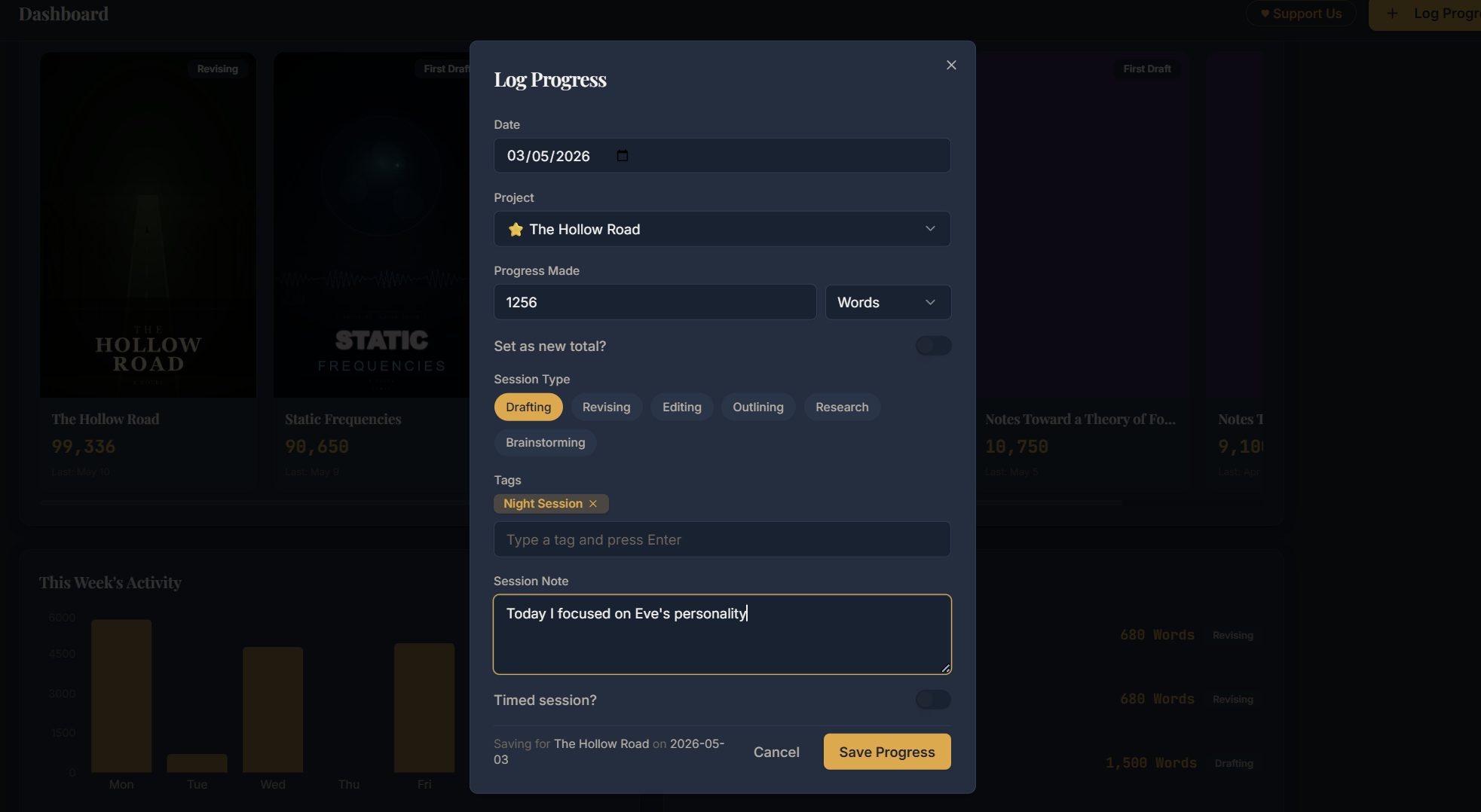
Type the number, pick the project, done. Everything else updates on its own. You can count in words, pages, chapters, scenes, lines or minutes, so it works whether you write novels or scripts. Already part way through a manuscript? Add a starting balance so your totals are correct from the first session.

  • βœ“Words, pages, chapters, scenes, lines or minutes
  • βœ“Back date any session you forgot to log
  • βœ“Notes and tags on every entry
  • βœ“Negative entries for words you cut in revision
Projects & Milestones

Manage all your projects in one place

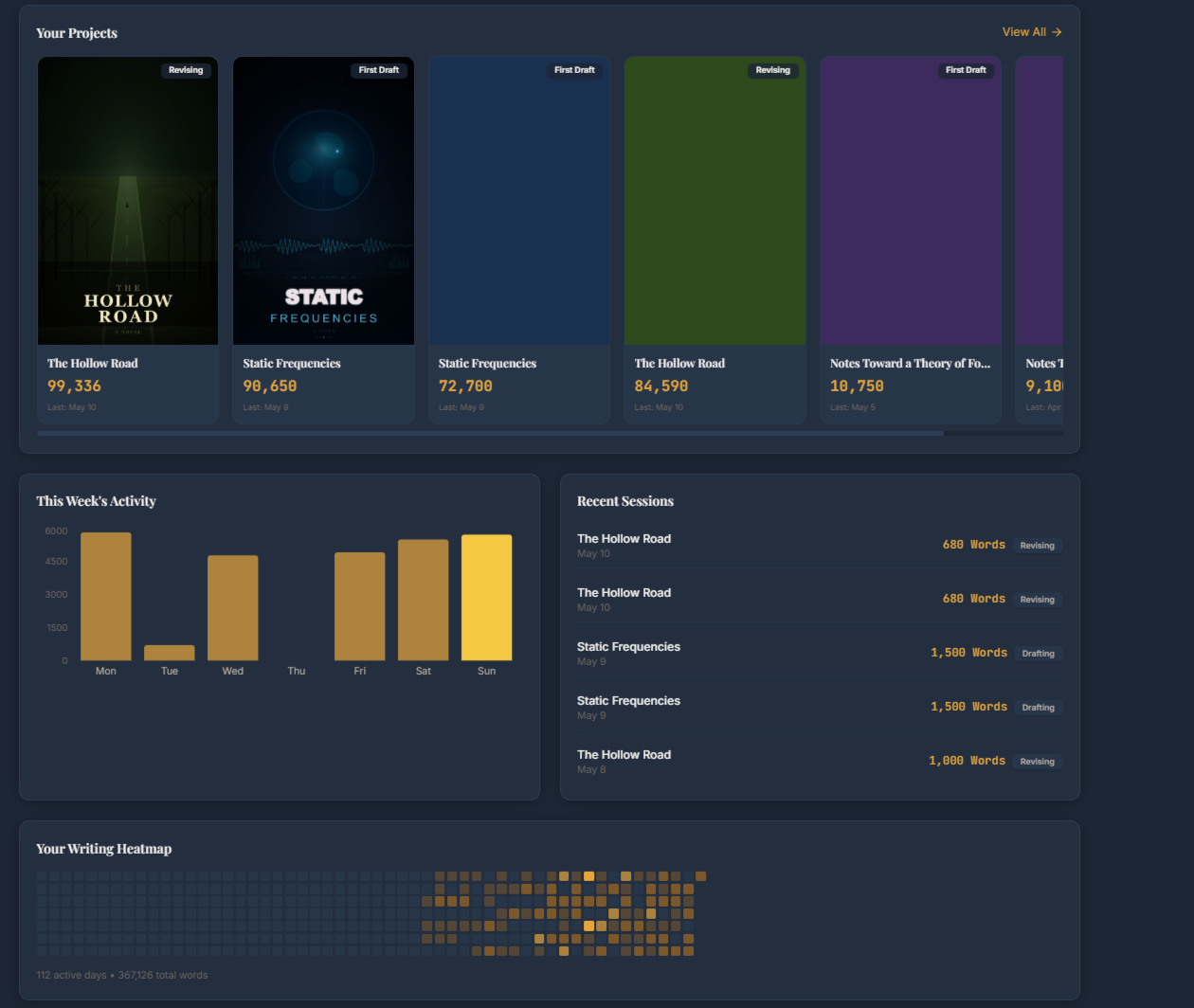
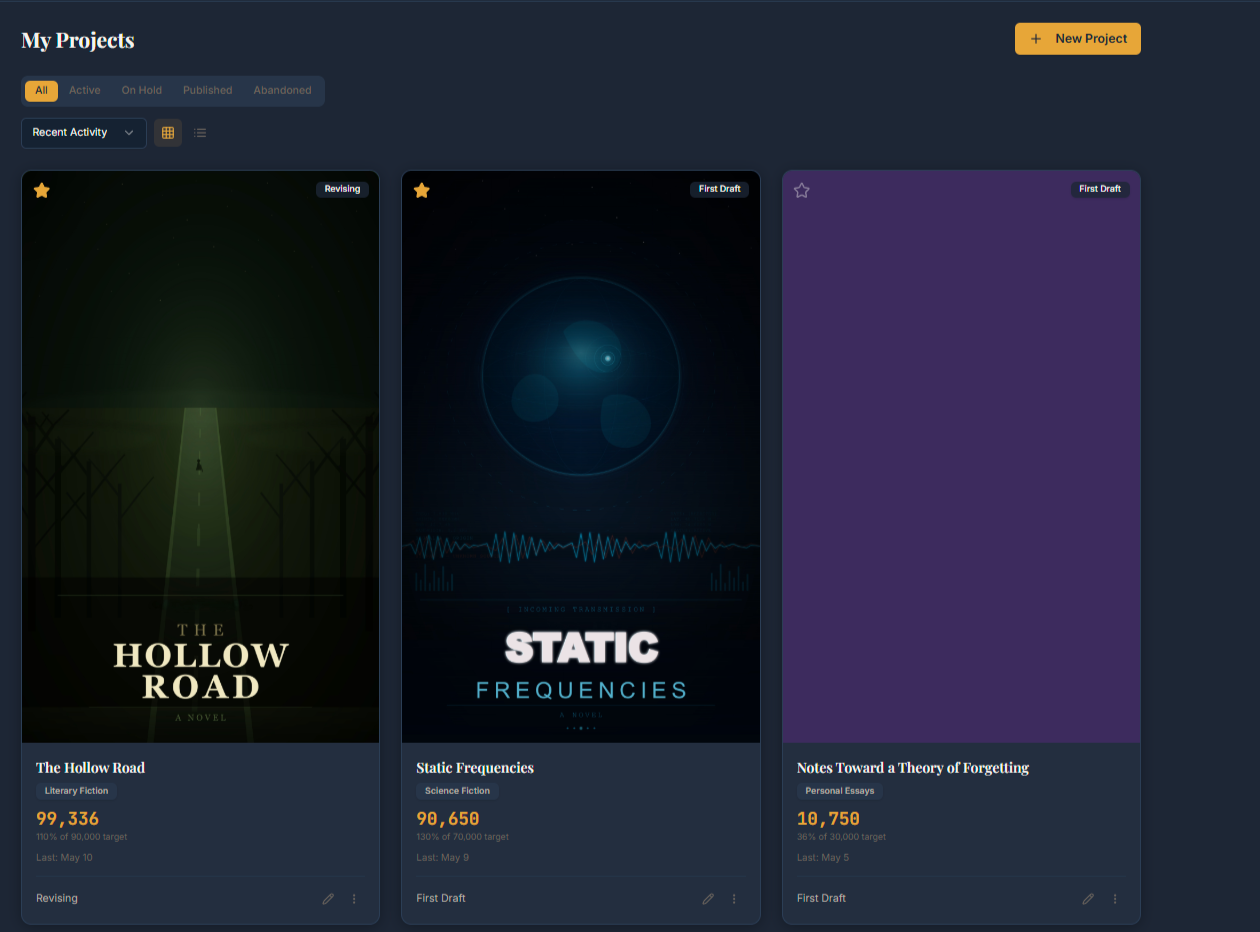
One project or six running in parallel, both work fine. Each project gets its own cover image or colour so you can tell them apart at a glance, plus a genre, a target and a phase you move it along as it grows.

  • βœ“Eleven phases covering every stage up to published
  • βœ“Automatic milestones at 25, 50, 75 and 100 percent
  • βœ“Custom milestones for deadlines and handoffs
  • βœ“Progress percentage, genre and last worked on date
Smart Goals

Goals that recalculate when you fall behind

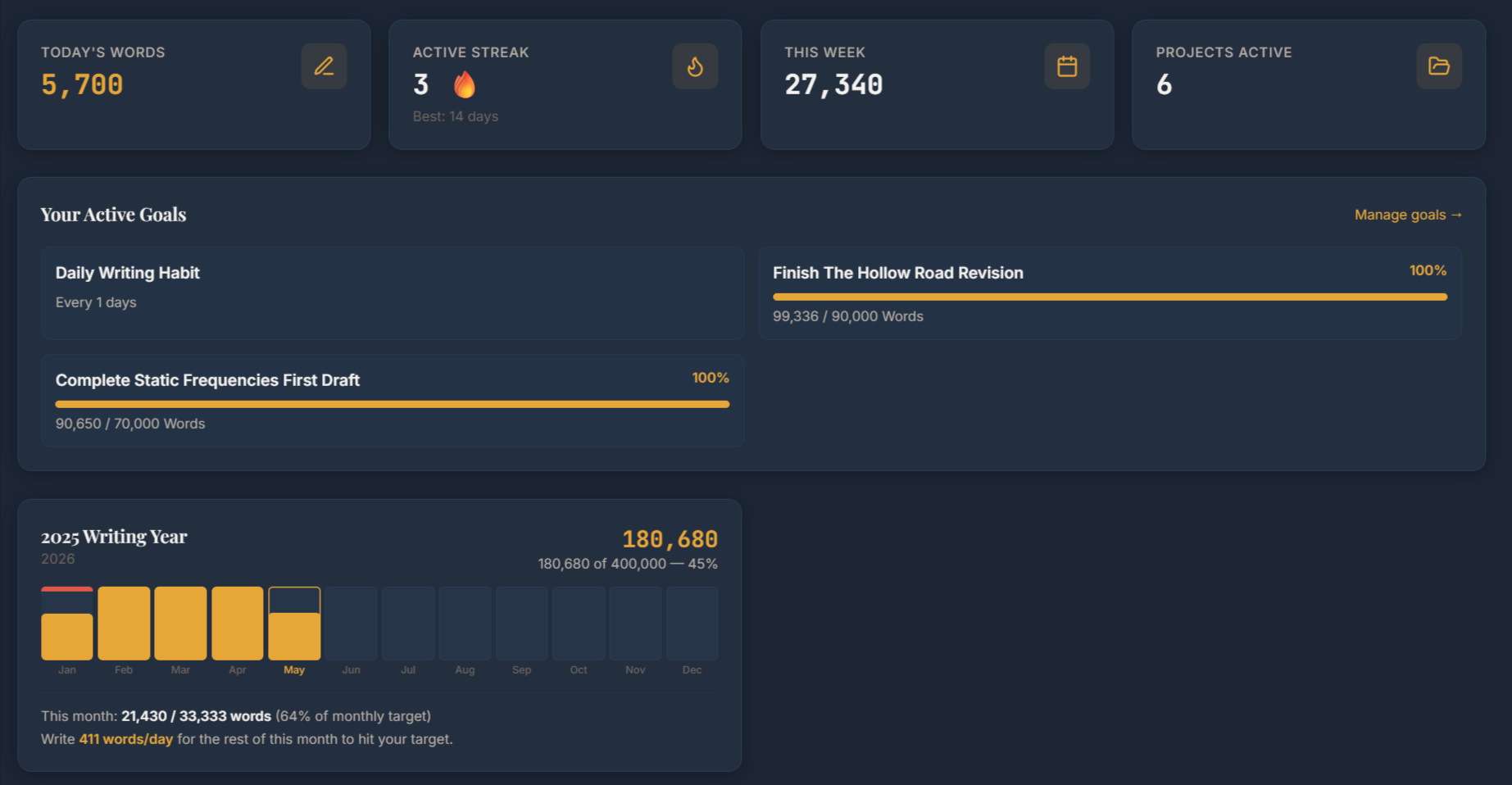
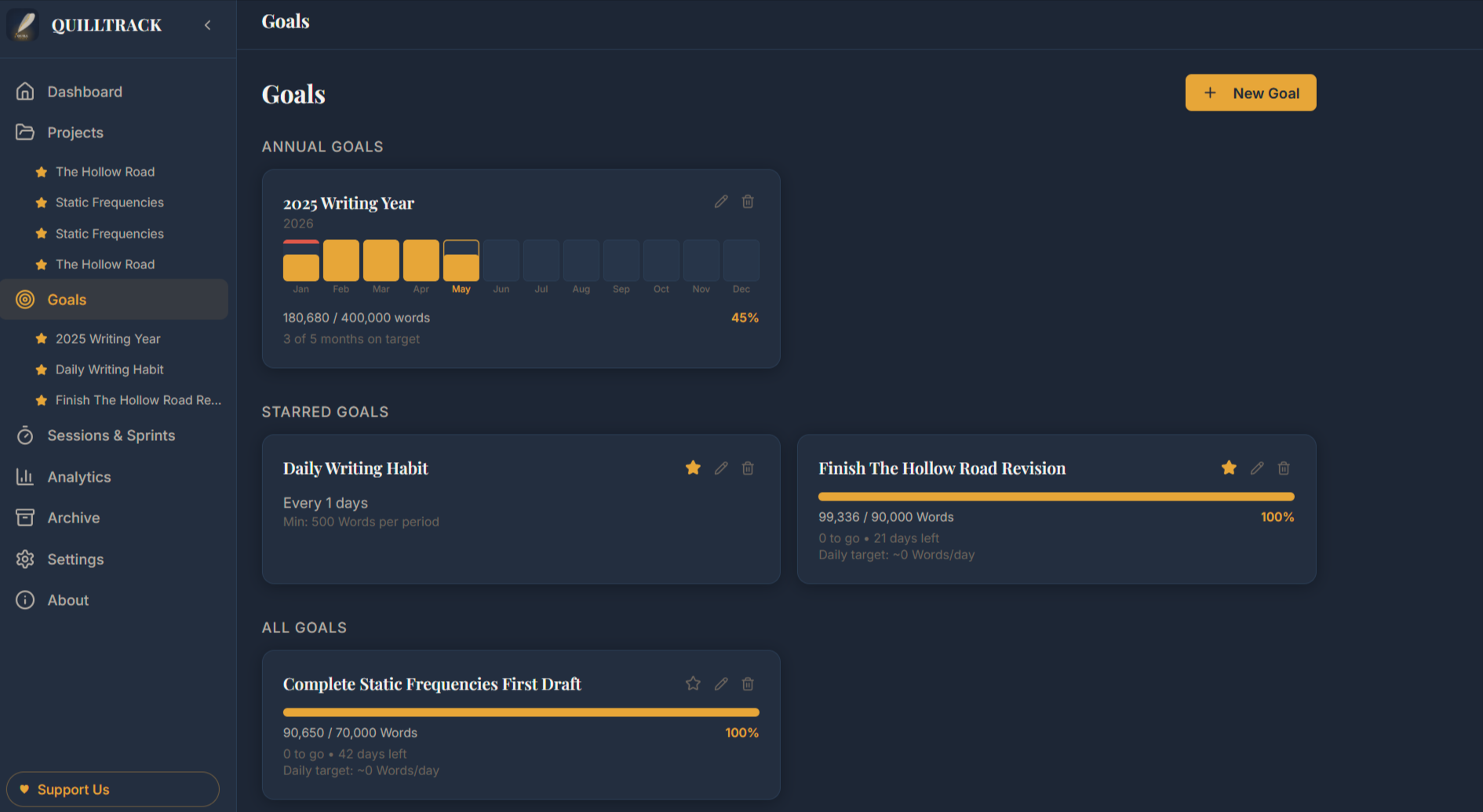
Set your word count and your deadline and you get the daily target you need. It only counts the days you said you would write, so weekends stay off if you want them off. Miss a few days and the daily number redraws across the time you have left.

  • βœ“Deadline goals with automatic daily recalculation
  • βœ“Habit goals for a set word count on set days
  • βœ“Annual goals split into twelve monthly targets
  • βœ“Missed months spread forward across the rest of the year
  • βœ“Any goal can be limited to certain projects or tags
Sprints & Sessions

Time your writing without leaving the app

Start a sprint, write until the timer ends, then enter your count on the spot. For work that has no fixed length there is a session timer that counts up until you stop it. Both run on the clock, so a refresh or a switch to your phone will not lose the session.

  • βœ“Sprint timer with an optional end chime
  • βœ“Count up session timer with pause
  • βœ“Six session types including drafting, revising and research
  • βœ“Hours tracked per session type on every project
Analytics & Your Wrap

See when you write best and when you will finish

Your logged sessions get turned into numbers you can use. Which hours and days produce your highest counts, whether your words per hour is going up, and a projected finish date based on your recent pace. You can also turn any date range into a Wrap card and share it.

  • βœ“Density map across every hour and weekday
  • βœ“Golden hours ranked by output
  • βœ“Words per hour trend and habit score
  • βœ“Projected finish date for each project
  • βœ“Shareable Wrap card for any date range
Streaks & Rest Days

Keep your streak through the days you miss

You get four rest days every month. Miss a day and one is spent for you automatically, so the streak stays alive without you doing anything. Rest days are capped and reset on the first of each month, so a long streak still means something.

  • βœ“Four rest days every month
  • βœ“Spent automatically on a missed day
  • βœ“Only spent while a streak is live
  • βœ“Reset monthly, so streaks stay meaningful

Set up in under two minutes

No tutorials and no onboarding videos. Three steps and you are tracking.

Create a project

Add whatever you are writing right now. Give it a title, a phase, a target word count and a cover image or colour. Takes about 30 seconds.

Log your sessions

When you finish writing, enter your word count. Pick the date, the session type and add a note if you want one. Your data starts building from the first entry.

Watch the data build

Your heatmap fills in, your streak grows and your goals track themselves. After a few weeks the analytics can show you your peak hours, your pace and your projected finish date.

Plottrack

The plot tracker and universe builder for your story

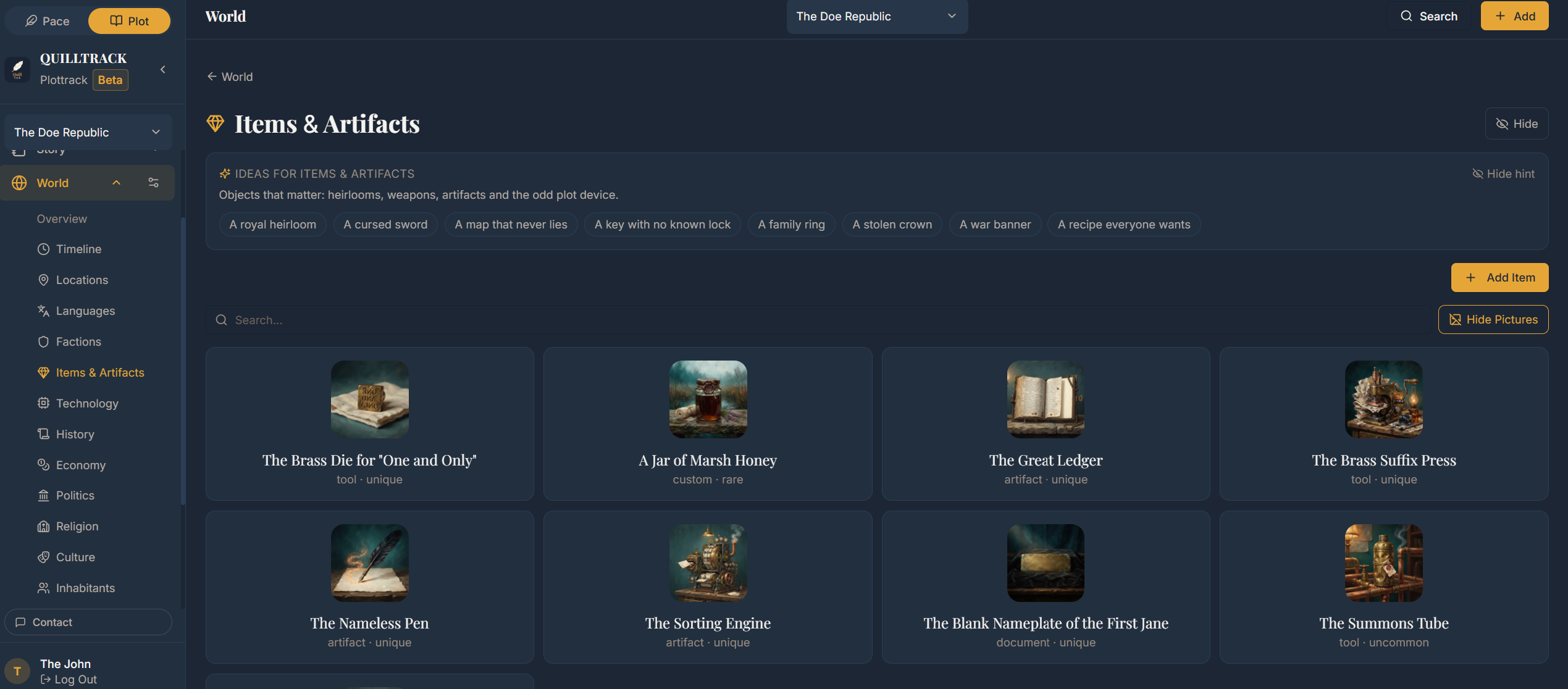
Plottrack is the worldbuilding and story tracking half of Quilltrack. Use it as a world builder: give a universe its own lore, calendar and timelines, and keep every character, location, faction, item, language and plot thread in one linked place. Use it on its own, or beside Pacetrack.

Universes & Lore

Give every story its own universe

A universe holds everything a book needs: its lore, its people, its places and its history. The World menu is yours to shape, with sections for magic, history, politics, economy, religion, culture, inhabitants, technology and more. Each section asks the questions that matter, so gaps are easy to see.

  • βœ“Shipped World sections with the fields each one needs
  • βœ“Your own custom World sections and custom fields on Pro
  • βœ“Lore entries that link to your characters, places and events
Timelines & Calendars

Build a timeline that fits your world

Your world does not have to run on the Gregorian calendar. A timeline can have its own year length, its own named months and its own days, or use real dates if that suits the story better. Eras anchor the scale, every event lands in the right place, and a character is drawn across the same line as the events.

  • βœ“Several timelines per universe, each with its own calendar
  • βœ“Custom calendars: your years, your months, your days per month
  • βœ“Eras, timeline events and character lifespans
Characters & Relationships

Know every character, and who they are to each other

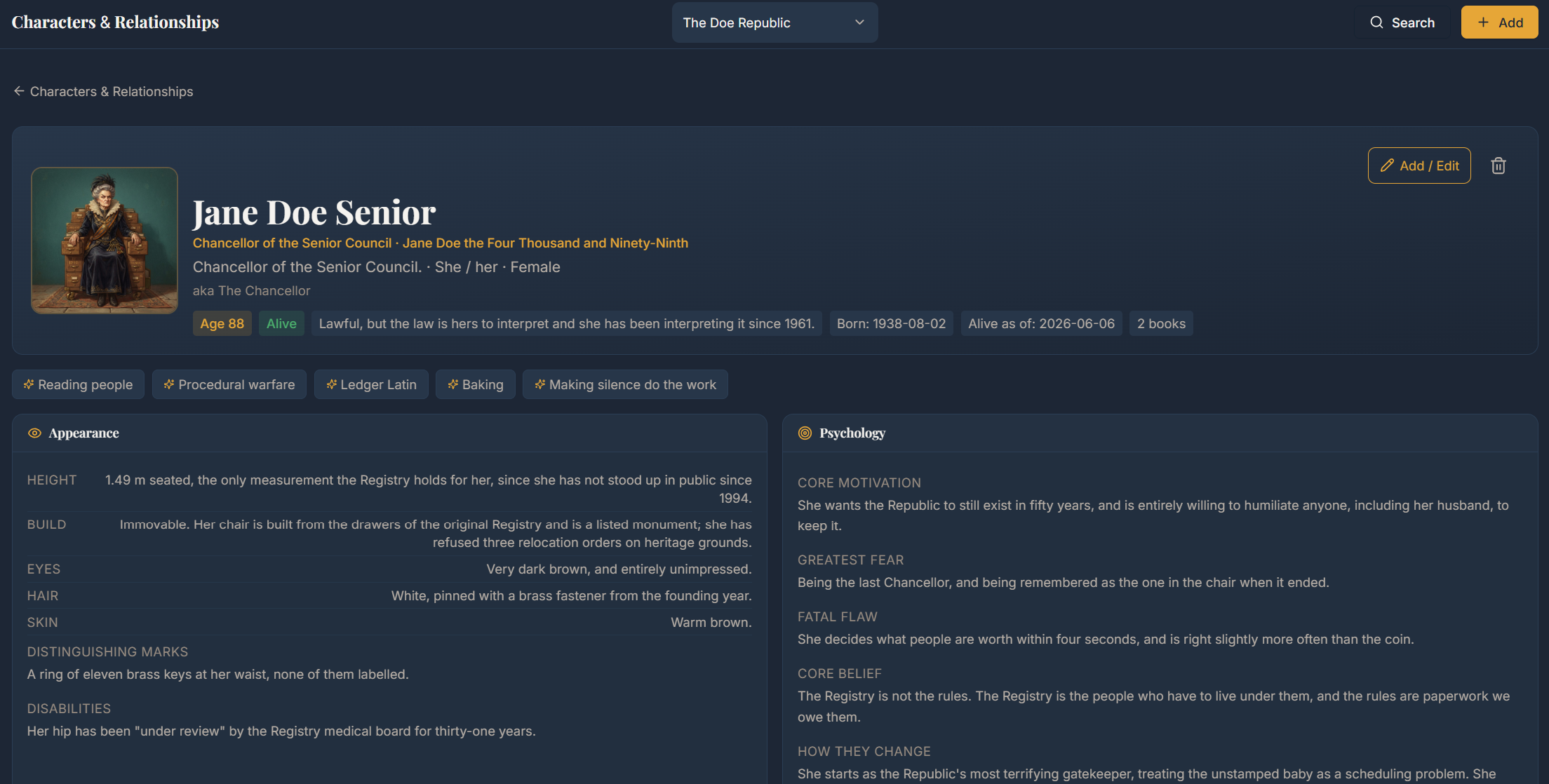
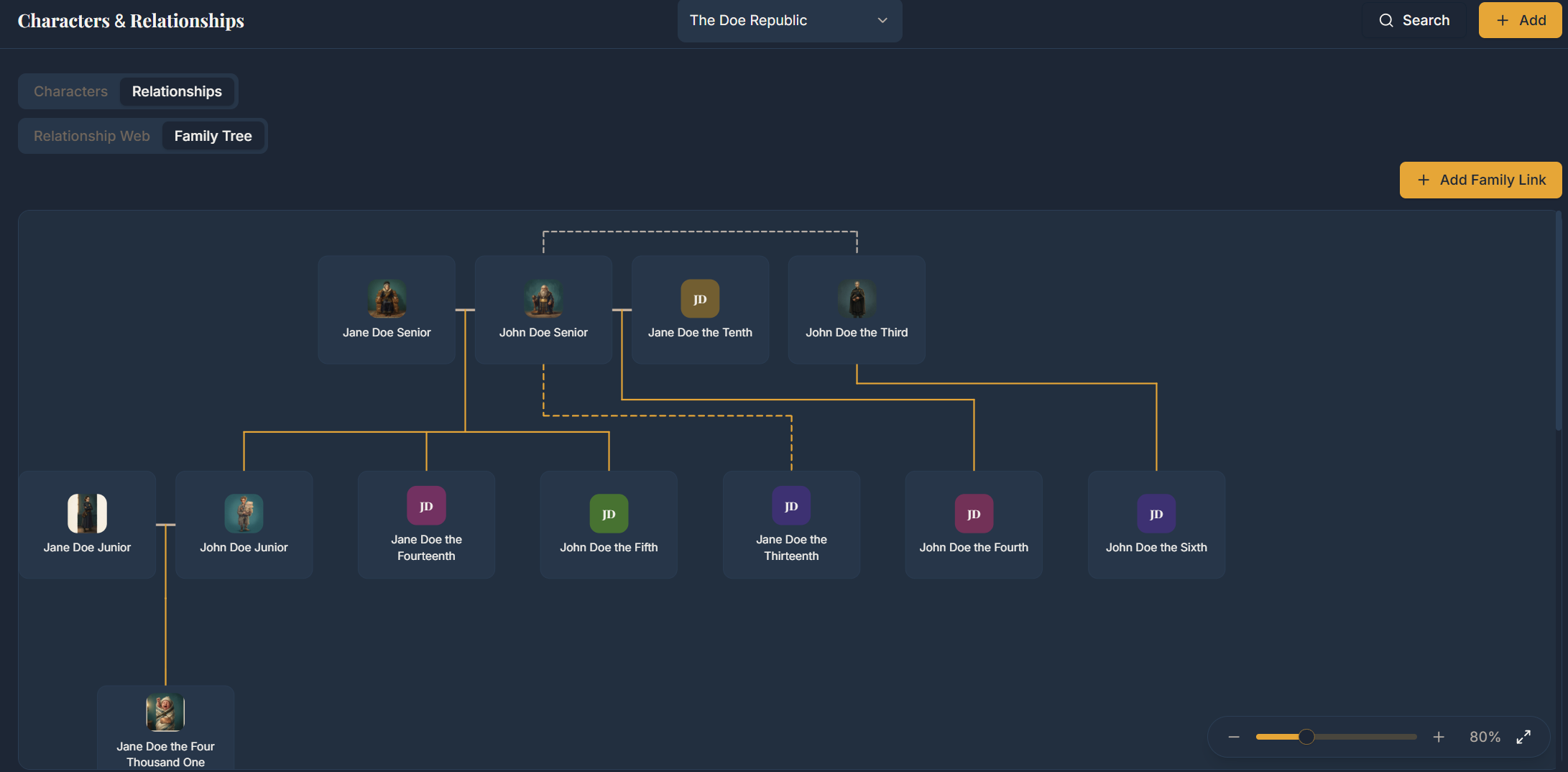
Characters carry more than a name: portraits, titles and aliases, appearance, psychology, backstory, voice, secrets, goals, and any custom field you add. Link them to each other and the relationship map and the family tree build themselves from the roles you set.

  • βœ“Full character sheets with portraits and custom fields
  • βœ“Family tree built from the family roles you choose
  • βœ“Relationship web of allies, rivals, mentors and enemies
  • βœ“Character arcs tracked chapter by chapter
Books, Chapters & Scenes

Plan the book scene by scene

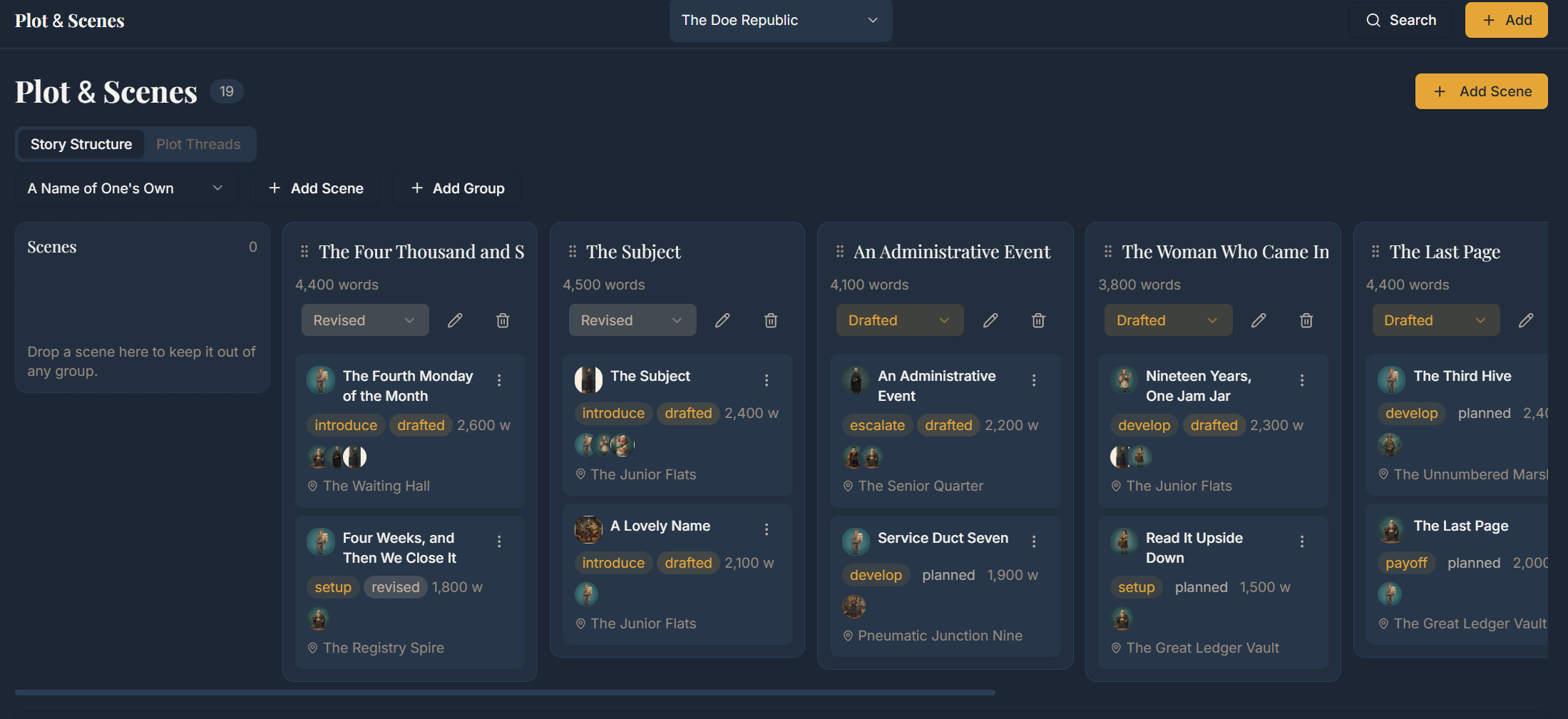
Books sit inside the universe they belong to. Break a book into chapters and scenes, give each scene its point of view, its purpose and its status, and read the whole book on a storyboard. Link the book to a Pacetrack project and its title, status, word count target and cover stay in sync.

  • βœ“Books moving through planning, drafting, revising and complete
  • βœ“Chapters and scenes with POV, purpose and status
  • βœ“Storyboard of the book from the first scene to the last
  • βœ“Two-way link to the matching Pacetrack project
Plot Threads

Keep every thread and payoff in sight

Open a thread for anything that runs through the story: the main plot, subplots, character arcs, mysteries, romances. Mark what each thread sets up and what pays it off, and watch all of them run across your chapters on one chart.

  • βœ“Threads with a type, a status and a chapter range
  • βœ“Setup and payoff pairs for foreshadowing
  • βœ“Every thread across the book on one chart
Locations, Factions & More

Fill in the rest of the world

Places get atmosphere, sensory detail and history, and nest inside each other so a city sits inside a region and a region inside a continent. Factions get leaders, members, territory, allies and enemies. Items get their powers, their owners and a history of who held them. Languages get vocabulary, grammar and the characters who speak them.

  • βœ“Locations that nest into their own hierarchy
  • βœ“Factions with leaders, members, allies and enemies
  • βœ“Items, artifacts and languages with their own fields
Custom Maps

Map the world and pin what matters

Upload a map of your world, then pin the places, characters and items that matter onto it. Each pin gets its own icon and colour, and each type of pin can have a colour of its own across the universe.

  • βœ“Pins for locations, characters and items
  • βœ“An icon and a colour per pin
  • βœ“One colour per pin type, set for the universe
Structure Views

See the story from every angle

The same records, drawn several ways: a storyboard for scenes, a canvas for timeline events and lifespans, a family tree for bloodlines, a web for relationships and another for factions, a hierarchy for places, and a chart for plot threads.

  • βœ“Storyboard of chapters and scenes
  • βœ“Timeline canvas of events and lifespans
  • βœ“Family tree, relationship web and faction web
  • βœ“Location hierarchy and a chart of plot threads
Dashboards

A dashboard for each universe

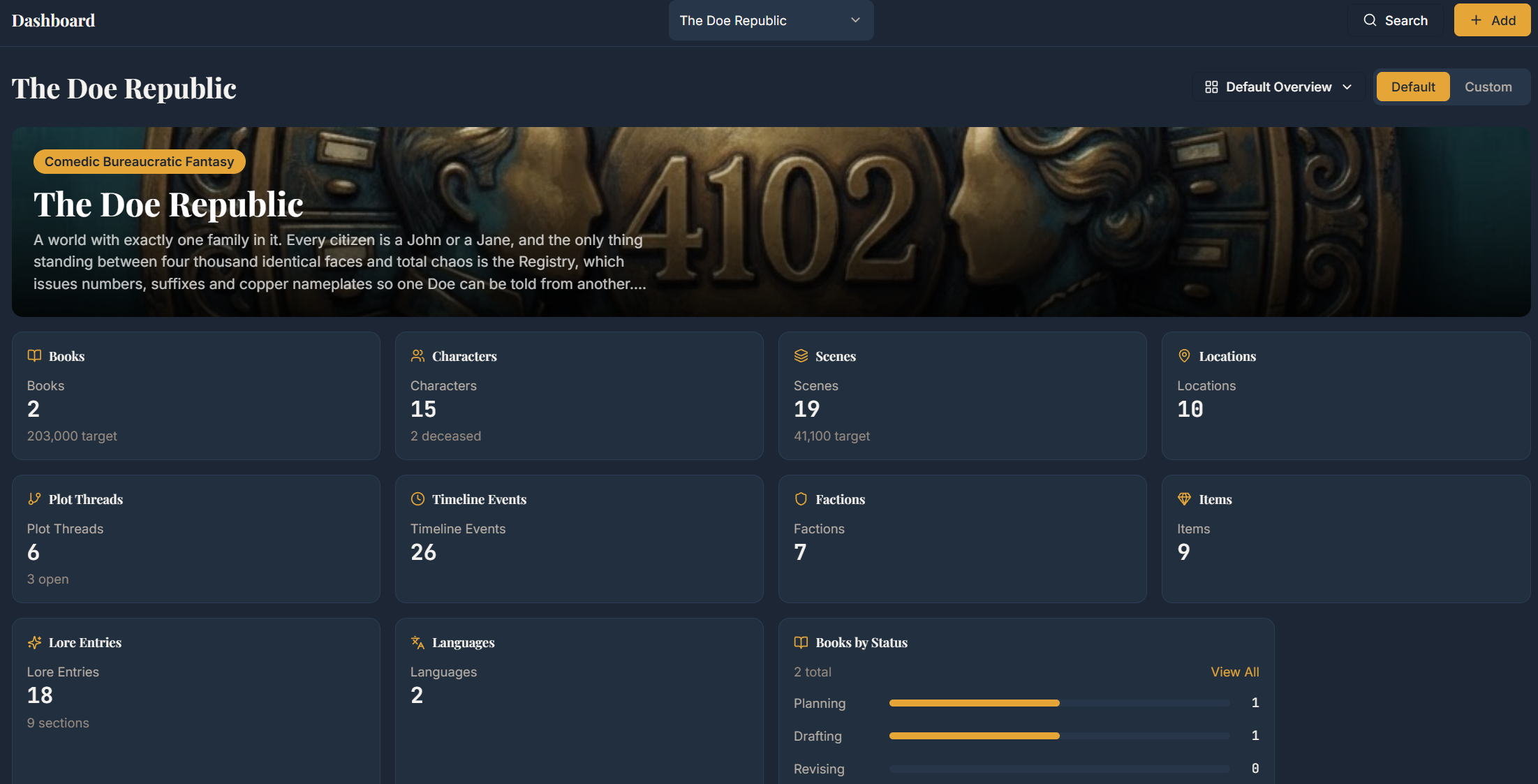
Every universe gets its own dashboard. Start from a template or build your own from cards that show recent updates, record counts, word targets, lore sections and the questions still open.

  • βœ“Default dashboards with the overview you need
  • βœ“Card based dashboards you arrange yourself
  • βœ“Predefined templates on Plottrack Pro
Versions & Export

Your world, safe and portable

Save a version of a universe before a big change and read it back later, or export the whole universe to a file and import it into another account.

  • βœ“Saved versions with a record count for every entity
  • βœ“Export a full universe to a file
  • βœ“Import a universe back, validated before anything lands
Plottrack Pro

Free to start, Pro when the world grows

Pacetrack is free in full. Plottrack is free with one universe and generous limits on every record type. Plottrack Pro removes those limits and unlocks custom World sections, custom lore, dashboard templates and the full relationship web. It is $3.99 a month or $39.99 a year, and you can cancel any time.

  • βœ“Unlimited universes, timelines, books, characters, maps and more
  • βœ“Custom World sections, custom fields and dashboard templates
  • βœ“The full relationship web
  • βœ“Cancel any time

Works for every kind of writing

Whether you write 200 words a day or 5,000, Quilltrack adjusts to your pace and your goals.

Novelists

Track a manuscript from first scene to final draft. Log your daily count, run several books at once, and use the pacing tools to hit a deadline. Works for NaNoWriMo.

Bloggers & Content Writers

Track output across several blogs or clients. Use tags to keep paid work separate from your own, and see your total monthly output on one dashboard.

Screenwriters

Track by pages instead of words. Run several scripts at different phases, and log outlining and research as separate session types from drafting.

Non-Fiction & Memoir

Non-fiction rarely moves in a straight line. Phases and session types let you track research, outlining, drafting and revision as separate measurable work.

Academic Writers

Dissertations and theses run for months or years. Track chapter by chapter, log research sessions, and set semester long targets that recalculate around your schedule.

Journalers & Personal Writers

You do not need a book for Quilltrack to be useful. Daily journaling is a writing habit. Track your consistency, keep your streak and watch the practice build over a year.

Compared to a spreadsheet

A spreadsheet can hold your word counts, and a folder of documents can hold your story notes. Here is what you get on top of both, without maintaining any of it yourself.

FeatureQuilltrackSpreadsheetBasic Trackers
Word count trackingβœ“βœ“βœ“
Multiple projectsβœ“ManualSometimes
Goal tracking with pacingβœ“ManualBasic
Streak & habit trackingβœ“βœ—Rarely
Activity heatmapβœ“βœ—βœ—
Writing sprint timerβœ“βœ—βœ—
Live session time trackerβœ“βœ—βœ—
Time-of-day analyticsβœ“βœ—βœ—
Annual goal with redistrib.βœ“βœ—βœ—
CSV data exportβœ“βœ“Rarely
Free to useβœ“βœ“Sometimes
Story world & lore trackingβœ“Scatteredβœ—
Custom calendars & timelinesβœ“βœ—βœ—
Characters & relationship mapsβœ“Manualβœ—
Maps with pinned locationsβœ“βœ—βœ—
Books, scenes & plot threadsβœ“ManualRarely

Common questions

What writers usually ask before they start tracking.

Pacetrack is free in full: word count tracking, projects, goals, sprints, analytics, streaks and your Wrap. Plottrack is free with one universe and generous limits on each record type, and Plottrack Pro removes those limits.

Start with one session

A year of logged sessions gives you a full record of your writing: your streaks, your sprints, your finished projects and the patterns behind all of it. It starts with a single entry.